
iDescriptor
iDescriptor – Powerful Free iDevice Management Software
iDescriptor is quickly becoming one of the best free tools for managing iPhones and iPads outside of Apple’s official software. It brings together powerful features that are usually found in paid iDevice utilities — all inside one open-source application that works on Windows, macOS, and Linux.
Unlike older tools that depend on outdated iTunes components, iDescriptor is built entirely in C++ using Qt 6. This makes the app fast, modern, and consistent across all platforms.
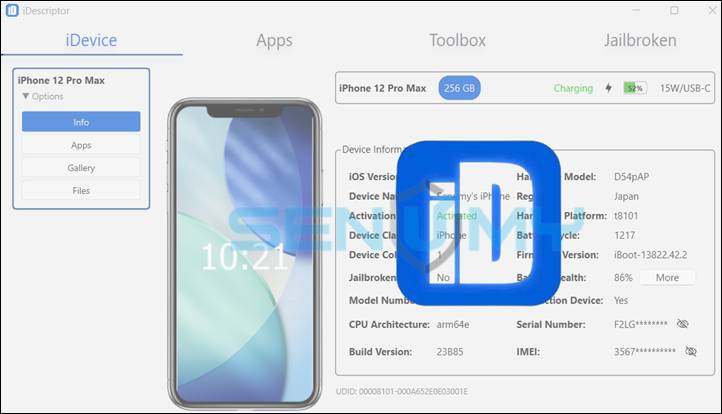
What makes iDescriptor stand out is the level of control it gives you over your device. You can:
- Download apps directly from the Apple Store
- Mirror your screen using AirPlay
- Simulate GPS locations
- Access and browse the filesystem
- View and manage photos
- Open an SSH terminal on jailbroken devices
Even though it uses powerful libraries like libimobiledevice and modified tools such as ipatool and RPiPlay, everything is wrapped inside a clean and simple interface. You don’t need advanced technical knowledge to use it.
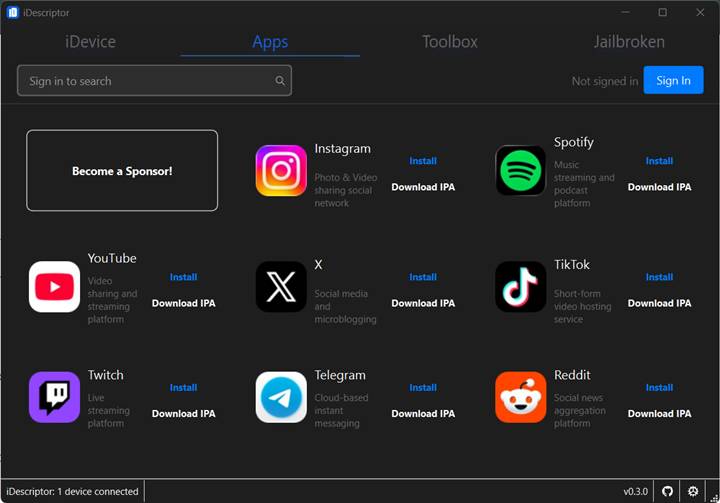
Whether you need quick file access or detailed hardware data through MobileGestalt queries, iDescriptor handles both smoothly.
For developers, power users, and the jailbreak community, iDescriptor fills a major gap. Since it is fully open-source, new features continue to be added by contributors across platforms.
What Is iDescriptor?
iDescriptor is a modern iPhone and iPad management tool designed for users who want more flexibility than Apple’s official software provides.
It is:
- Fully open-source
- Built in C++
- Powered by Qt 6
- Compatible with Windows, macOS, and Linux
The tool communicates directly with your device using the same protocols trusted by developer utilities. Features such as filesystem access, developer disk image mounting, and device information queries rely on libimobiledevice.
Once your device is connected, iDescriptor instantly reads hardware details, MobileGestalt data, and system information. It also prepares developer disk image features when supported.
App Store authentication is handled securely through a backend system that stores Apple ID sessions safely. This prevents repeated logins and makes app downloads more stable compared to older tools.
Thanks to features like SSH access, virtual GPS, AirPlay mirroring, and filesystem tools, iDescriptor works as both a development utility and a powerful everyday device manager.
iDescriptor Features Explained
iDescriptor combines multiple tools into one powerful application.
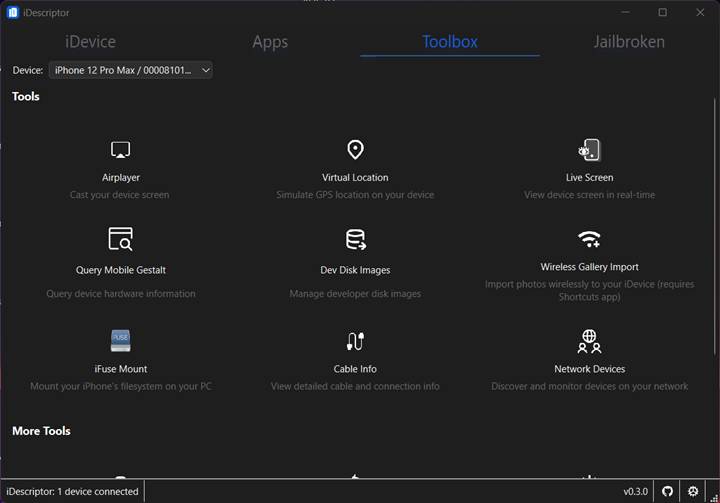
🔹 AirPlay & Live Screen Mirroring
Mirror your iPhone or iPad screen to your computer with low latency using AirPlay. If wireless streaming is not available, the Live Screen feature provides a stable wired alternative.
🔹 App Store Downloads & Installation
After signing in with your Apple ID, you can download apps directly from the Apple Store and install them to your device. The app integrates ipatool to communicate directly with Apple’s servers.
Once logged in, your session is securely stored, so you don’t need to sign in repeatedly.
🔹 Virtual Location (GPS Simulation)
Simulate GPS locations on supported iOS versions (iOS 6 to iOS 16). This is useful for app testing or location-based adjustments. It works by mounting the correct developer disk image and sending location data to the device.
🔹 Filesystem Access & File Explorer
Using iFuse (on Windows and Linux), your device can be mounted like a regular drive. You can browse files directly through the built-in visual file explorer.
🔹 SSH Terminal (Jailbroken Devices)
For jailbroken devices, iDescriptor includes a built-in SSH terminal. This allows direct shell access without needing additional tools.
🔹 Additional Features
- Photo gallery viewer
- Wireless photo import using Shortcuts
- Cable authenticity checks
- Network device discovery
- Detailed hardware and MobileGestalt queries
Together, these features make iDescriptor a complete solution for debugging, testing, file management, and advanced device control.
Download iDescriptor for Windows, macOS & Linux
The latest version 0.3.0 of iDescriptor is available on GitHub for all major desktop platforms.
Windows
- Installer version for permanent setup
- Portable version (no installation required)
- Chocolatey support for automated deployments
macOS
- Separate builds for Intel and Apple Silicon
- Simple DMG installation (drag and drop to Applications)
- Native-like performance thanks to Qt 6
Linux
- AppImage build (runs without installation)
- Arch Linux package available via AUR
- Full device and filesystem support
All releases include version tags and checksums for verification. The app also features a built-in updater powered by ZUpdater, making it easy to stay on the latest version.
Once installed, features like AirPlay, app downloads, system information queries, and file browsing are ready to use immediately.
Who Should Use iDescriptor?
iDescriptor is ideal for:
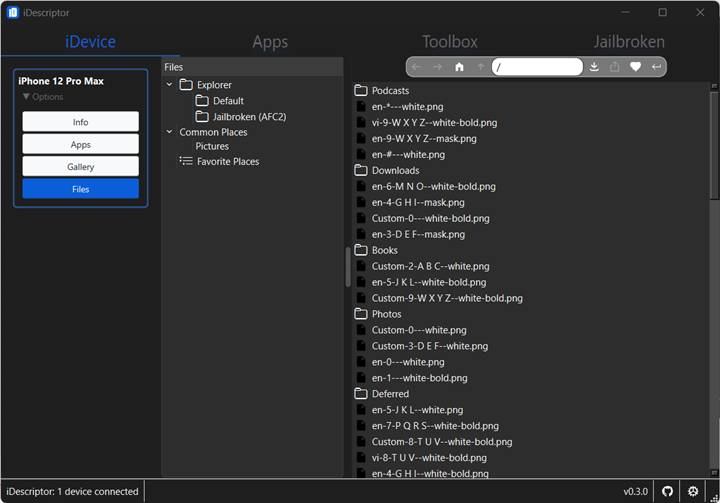
✅ Power Users
Browse files, mirror screens, simulate GPS, and install apps — all from one application.
✅ Developers
Access MobileGestalt data, mount developer disk images, use diagnostics tools, and stream screens on Windows, macOS, or Linux.
✅ Jailbreak Community
Use the built-in SSH terminal and gain deeper device access in a secure, open-source environment.
✅ Everyday Users
Transfer photos, verify cable authenticity, and monitor devices on the same network with a simple interface.
The app scales naturally from beginner-friendly to advanced use.
Conclusion
iDescriptor brings together everything you need in a modern iDevice management tool — completely free and open-source.
With features like:
- AirPlay screen streaming
- App Store downloads
- Filesystem access
- Virtual GPS simulation
- SSH terminal support
- Detailed hardware diagnostics
It replaces multiple separate utilities while staying easy to use.
Thanks to secure authentication, cross-platform consistency, and active community development, iDescriptor is one of the most complete free iPhone and iPad management tools available today.