
PPSSPP
PPSSPP Emulator for iOS – Play PSP Games on iPhone & iPad
PPSSPP is a free and powerful PSP emulator that lets you play your favorite PlayStation Portable (PSP) games on your iPhone or iPad.
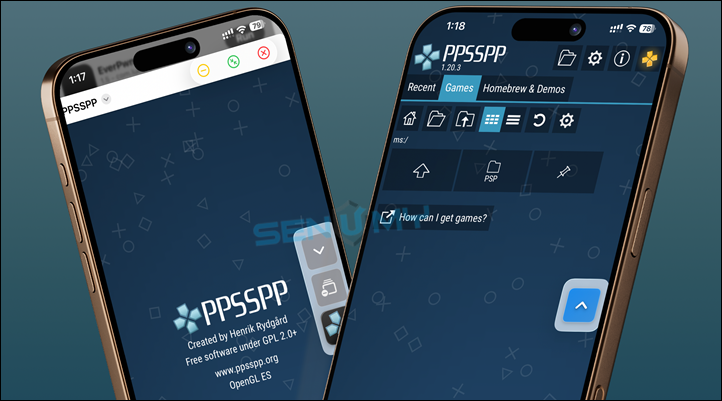
With the PPSSPP IPA, you can enjoy smooth performance, better graphics, and advanced settings—all without needing a jailbreak.
The emulator is developed by one of the creators of the Dolphin Emulator, making it one of the most trusted and reliable PSP emulators available.
Developed by one of the creators of the Dolphin emulator (popular for GameCube and Wii), PPSSPP is capable of running most PSP games directly on your iOS device without a jailbreak.
Key Features
• Play PSP games smoothly on iPhone & iPad
• Enhanced HD graphics and performance
• Advanced settings like VSync, texture scaling & filtering
• Save and load game progress anytime
• No jailbreak required
Download PPSSPP IPA
You can install PPSSPP using two simple methods:
👉 Direct Install (Recommended)
👉 Manual Install (IPA File)
Download the IPA file and install using tools like:
Latest Version: v1.20.2
Want the latest updates, new releases, and support? Join our Telegram channel and stay connected!
👉 Join us on Telegram
How to Install PPSSPP IPA (AltStore Method)
Step 1: Install AltStore on your device
Step 2: Download the PPSSPP IPA file
Step 3: Open AltStore → go to My Apps
Step 4: Tap the + icon and select the IPA file
Step 5: Enter your Apple ID (use a secondary account if possible)
Step 6: Wait for installation, then open the app
How to Install PPSSPP IPA (Sideloadly Method)
Step 1: Install Sideloadly on Windows or Mac
Step 2: Download the PPSSPP IPA file
Step 3: Connect your iPhone using USB
Step 4: Open Sideloadly and sign in with Apple ID
Step 5: Drag and drop the IPA file
Step 6: Click Start to install
Step 7: Go to Settings → General → Device Management → Trust your profile
Step 8: Open the app and start playing
Other Installation Methods
You can also install PPSSPP using:
- TrollStore (permanent install)
- eSign (no computer needed)
iOS Compatibility
PPSSPP supports a wide range of iOS versions:
• iOS 14 – iOS 26+
• Works on iPhone & iPad
• No jailbreak required
Supported Devices
Works on most modern and older devices, including:
• iPhone 6 and newer
• iPhone SE series
• iPhone 7 → iPhone 16 Pro Max
• iPads and iPod Touch
Final Words
If you want to play PSP games on your iPhone or iPad, PPSSPP is one of the best emulators available. It’s free, powerful, and easy to install.
Enjoy classic PSP gaming with better graphics and smooth performance—right on your iOS device.