
EverPwnage Jailbreak
EverPwnage is a jailbreak tool designed for 32-bit iPhones and iPads running iOS 8.0 to iOS 9.0.2.
Even though these devices are older and no longer supported by Apple, EverPwnage allows users to unlock extra features, install tweaks, and customize their devices.
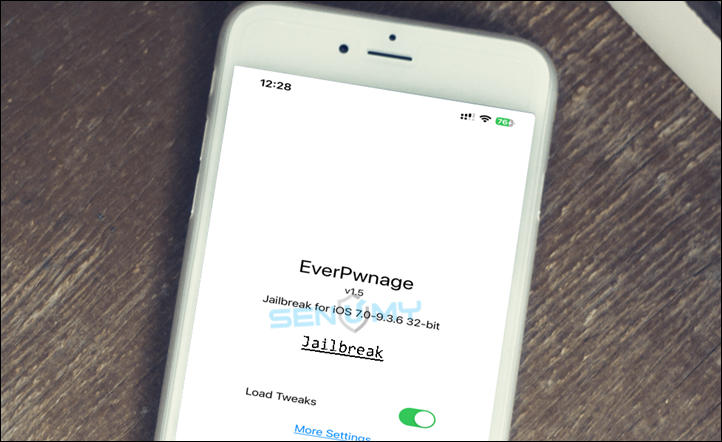
If you currently use jailbreak tools like EtasonJB, Home Depot, or OpenPwnage on iOS 8, EverPwnage can be a good upgrade.
When you enable the Install Untether option during the jailbreak process, the device will switch to Daibutsu untether. This provides a more stable and smooth jailbreak experience.
With EverPwnage installed, you can use jailbreak tweaks, customize the interface, and extend the life of your older iPhone or iPad.
Download EverPwnage IPA
You can download the EverPwnage IPA and install it using popular sideloading tools such as:
iLoader install it using Cydia Impactor, Altstore, SideStore, Sideloadly, and more.
v 1.5
Supported Devices
A5 / A5X Devices
- iPhone 4S
- iPad 2
- iPad 3
- iPad Mini (1st generation)
- iPod Touch 5
A6 / A6X Devices
- iPhone 5
- iPhone 5C
- iPad 4
Supported iOS Versions
| Device | iOS 8.0–8.2 | iOS 8.3–8.4.1 | iOS 9.0–9.0.2 |
|---|---|---|---|
| A5(X) | Semi-Untethered | Untethered | Not Supported |
| A6(X) | Untethered | Untethered | Semi-Untethered |
⚠️ Note:
Support for iOS 9.0.x is still experimental and currently works only on A6(X) devices due to unresolved issues on A5(X) devices.) devices due to unresolved issues with A5(X) devices.
How to Install EverPwnage IPA Using Sideloadly
Follow these steps to install the jailbreak:
Step 1: Download the latest EverPwnage IPA file.
Step 2: Install Sideloadly on your Windows or Mac computer.
Step 3: Connect your iPhone or iPad to the computer using a USB cable.
Step 4: Open Sideloadly and sign in using your Apple ID.
Step 5: Drag and drop the EverPwnage IPA file into the Sideloadly window.
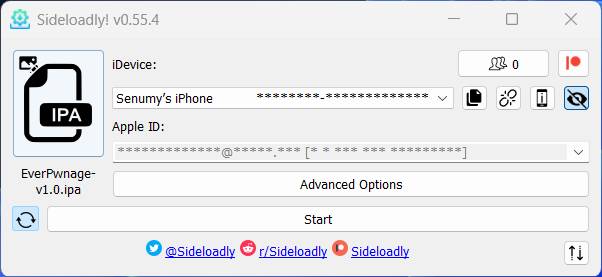
Step 6: Click Start to begin the installation.
Step 7: After installation, go to:
Settings → General → Device Management
Find your Apple ID and tap Trust.
Alternatives to EverPwnage Jailbreak
If EverPwnage doesn’t support your device, you can try these jailbreak tools.
Phoenix
Supports iOS 9.3.5 (32-bit devices)
Features
- Semi-untethered jailbreak
- Works on older 32-bit devices
Pangu
Supports iOS 7.1 – iOS 9.3.3
Features
- Fully untethered jailbreak
- Stable for older iOS versions
Home Depot
Supports iOS 9.1 – iOS 9.3.4 (32-bit devices)
Features
- Semi-untethered jailbreak
- Compatible with devices like iPhone 5
EverPwnage is a great way to bring new life to older iPhones and iPads, letting you install tweaks, customize iOS, and explore jailbreak features that Apple no longer supports.