KSign
Free iOS IPA Signing Tool for 2026
KSign is a free and open-source IPA signing tool for iPhone and iPad that lets you sign, install, and manage IPA files directly on your device — no computer required.
KSign combines the clean design of Feather with many powerful features inspired by eSign, making it one of the best IPA sideloading tools available for iOS users in 2026.
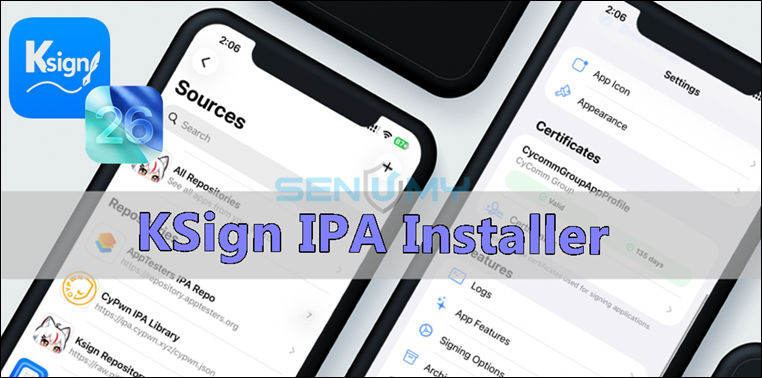
It supports app signing, tweak injection, IPA customization, repo management, and much more.
What is KSign?
KSign is an iOS sideloading and code-signing app that allows users to:
• Install IPA files directly on iPhone & iPad
• Sign apps without a computer
• Import certificates easily
• Manage IPA libraries and repositories
• Customize apps before installing
It is designed as a modern alternative to tools like:
• eSign
• Feather
KSign 1.5.1 Update (2026)
The latest KSign update improves stability, adds new features, and enhances the overall sideloading experience on iPhone and iPad.
New Improvements
✅ Background download notifications added
✅ Auto-fill Bundle ID using certificate App ID
✅ New share button in Logs tab
✅ Removed old KSign certificate file support
✅ Added prefix & suffix options for app names
✅ Improved Downloads section with better features
✅ Cleaner UI and smoother user experience
KSign 1.5.1 now feels faster, cleaner, and easier to use for daily IPA signing and sideloading on iOS 15 to the latest iOS 26+.
Compatibility
KSign supports:
• iPhone & iPad
• iOS 15 → latest iOS 26+
• TrollStore
• Certificate signing
• Non-jailbreak sideloading
Download KSign IPA
Download the KSign IPA to your computer and install it using AltStore, Sideloadly, iLoader, TrollStore, Impactor, SideStore, PlumeImpactor, and more.
Latest Beta v 1.5.1
v 1.5
Want the latest updates, new releases, and support? Join our Telegram channel and stay connected!
👉 Join us on Telegram
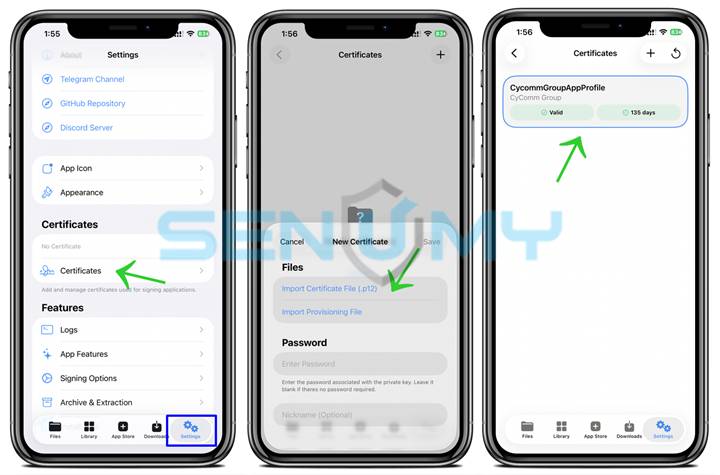
How to Import a Certificate in KSign
Follow these simple steps to import a certificate and sign IPA files using KSign on your iPhone or iPad.
Step 1: Download the Certificate
Download the KSign certificate package using the button below.
Step 2: Extract the Certificate Files
Open the downloaded Certificate.zip file and extract it using the Files app or your preferred archive manager.
Inside the folder, you will find:
- .certificate file
- .mobileprovision file
Step 3: Open KSign
Launch the KSign app on your iPhone or iPad.
Step 4: Import the Certificate
Go to the Certificates section inside KSign.
Tap the certificate file to begin importing it.
Step 5: Enter the Certificate Password
When prompted, enter the certificate password.
Example:
Alpne
After entering the password, the certificate will be added to KSign successfully.
Step 6: Import and Sign IPA Files
Now you can install IPA files easily:
- Open the Apps tab
- Import your IPA file
- Tap Sign
- Tap Install
The app will now be signed and installed on your device.
- Done!
You can now use KSign to sign and install IPA files directly on iPhone and iPad without needing a computer.
KSign Features
📦 Built-In IPA Library & Repo Support
Built-In IPA Library & Repo Support
KSign includes a built-in Sources Manager where you can add IPA repositories such as:
This gives you quick access to apps directly inside the app without searching random websites.
Customize Apps
KSign lets you modify apps before signing them.
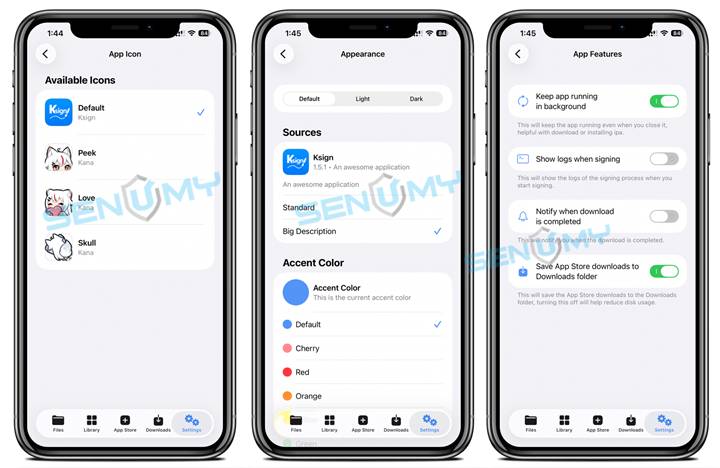
• Rename apps
• Change bundle identifiers
• Modify version numbers
• Change app icons
• Patch compatibility settings
Perfect for modded apps and multiple app installs.
Tweak Injection Support
KSign supports tweak and framework injection directly into IPA files.
You can inject:
• DYLIB tweaks
• YTPlus
• Cydia Substrate frameworks
• Other tweak libraries
This gives users more customization options without requiring a jailbreak.
Advanced Signing Options
KSign includes powerful signing tools such as:
• PPQ Protection
• File Sharing toggle
• Game Mode support
• SSL & certificate management
• Advanced installation settings
FAQ
Is KSign safe to use?
Yes. KSign is open-source, meaning its code is publicly available and transparent.
For best security:
• Use trusted IPA sources
• Avoid unknown certificates
• Download apps from reliable repositories
Can I use KSign without jailbreak?
Yes. KSign works on both jailbroken and non-jailbroken iPhones and iPads.
Does KSign require a computer?
No. KSign can sign and install apps directly on your device.