SignTools
SignTools 3.0.11 – Self-Hosted iOS Sideloading Platform
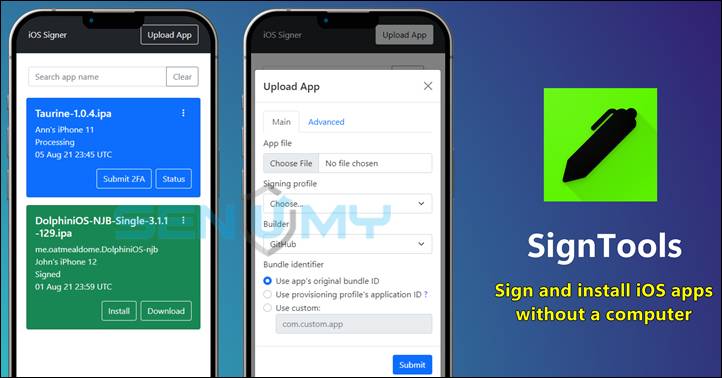
SignTools is a powerful self-hosted sideloading solution for iOS, iPadOS, and macOS. Unlike traditional sideloading apps, SignTools works through a web interface, allowing you to sign and install apps without installing anything on your iPhone or iPad.
It uses Apple’s official signing tools, making it reliable, stable, and highly compatible with modern iOS versions.
Key Features
- ✅ No jailbreak required
- 📱 Supports iOS, iPadOS, and macOS apps
- 🌐 Web-based interface (works on mobile browsers)
- 💻 No computer needed after initial setup
- 📦 Upload unsigned apps and download signed IPAs
- 🧩 Inject tweaks while signing apps
- 🚀 Install apps directly via OTA
- 🔐 Supports provisioning profiles & developer accounts
- ⚙️ Custom entitlements and signing profiles
Important Disclaimer
- SignTools is self-hosted only
- It is not a public signing service
- No app store, certificates, or shared accounts included
- Intended for homebrew apps, testing, and personal use
- Does not support or encourage piracy
Users are responsible for following local laws and Apple’s policies.
Platform & License
- Supports iOS, iPadOS, and macOS
- Works with IPA files and native macOS apps
- Open-source under AGPL-3.0 license
- Actively maintained on GitHub
Download SignTools (Windows)
latest v_3.0.11
GitHub Repository:
👉 https://github.com/SignTools/SignTools/releases
Want the latest updates, new releases, and support? Join our Telegram channel and stay connected!
👉 Join us on Telegram
How SignTools Works (Simple Explanation)
SignTools is made of two parts:
1️⃣ Builder (macOS)
- Runs on a Mac
- Uses Apple’s official software to sign apps
- Ensures high compatibility and fewer signing errors
2️⃣ Web Service
- Can be hosted on a server, NAS, or cloud
- Lets you upload IPAs, sign them, and download or install them
- Works fully in a browser (mobile-friendly)
Once set up, you can install apps over-the-air (OTA) directly on your iPhone or iPad — no cables, no PC, no jailbreak.
SignTools & Alternative iOS Sideloading Tools
SignTools and these alternative tools let you install IPA apps on iPhone and iPad without a jailbreak. Choose the tool that fits your setup—computer-based, Wi-Fi, or fully on-device signing.
Popular iOS Sideloading Tools (Simple Guide
🔹 AltStore
AltStore is one of the most trusted ways to install IPA files on iPhone and iPad.
It works on Windows and macOS. Just install AltStore on your computer, connect your device, and sideload apps easily.
SideStore is a modern alternative to AltStore.
After the first setup, you can install apps over Wi-Fi, with no computer needed. Everything is managed directly from your device.
PlumeImpactor is a modern, open-source IPA installer.
It works on Windows, macOS, and Linux, making it a flexible option for users on any platform.
iLoader makes installing SideStore, LiveContainer, and IPAs easy.
It supports Windows, macOS, and Linux, and works from iOS 14 up to iOS 18 and the latest iOS 26+.
Sideloadly is a beginner-friendly yet powerful IPA installer.
It works on Windows and macOS and is perfect for installing apps, tweaks, and games with just a few clicks.
TrollStore is a powerful permanent IPA installer for iOS 14.0 – 17.0.
Apps installed with TrollStore never expire or get revoked, making it ideal for long-term use.
🔹 eSign
eSign lets you sign and install IPA files directly on your iPhone or iPad.
No computer is required, and it supports both personal and shared certificates.
MapleSign is a low-cost enterprise signing service.
It supports iPhone, iPad, Apple TV, and visionOS, making it great for developers and advanced users.
🔹 Feather
Feather is the first fully open-source IPA signer that works with real Apple Developer accounts.
You can sign apps directly on your device—secure, private, and computer-free.
🔹 3uTools
3uTools is an all-in-one iOS management tool for Windows and macOS.
It supports IPA signing, app installation, backups, flashing, and full device management.